Outbox, markdown lists in chat and a model tier for each task
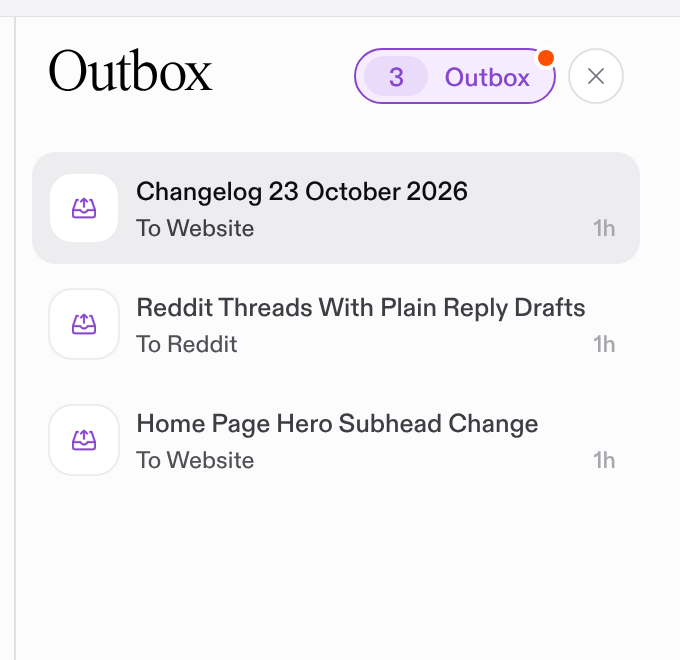
Outbox
Outbox. Everything leaving Questo in one place. The inbox now has an Outbox view with three lists.
Pending is waiting on you. Pushed is waiting on someone in another tool, such as a pull request or a draft campaign. Published is the record of what went out: where, when, who published it, and a link to the live post.
Outbox. Its own unread dot. The Outbox now has an unread dot of its own. It counts publish cards you have not seen. Other inbox cards no longer light it.
Outbox. Post links. When you mark an output as published, paste the link. You can add it later with Add link.
Improvements
Chat. Markdown lists stay lists. The chat composer and your sent messages now keep markdown lists. Agent answers that need your decision end with a next callout.
Missions. The planner picks each task's model tier. The mission planner now chooses fast, balanced or deep for every task it proposes. Task chats and background runs use that tier. Plan cards show it. On task detail you can change it while the task is still planned.
History. Undo. The History page now uses the word undo for reverting a change.
Credits. Alerts by email and in the inbox. When a workspace drops to 3,000 credits, and again when it runs out, every member gets an email. The same alert files a card in the inbox. Both show what Questo did for the workspace. The card closes when credits are added.
Billing. Revolut credit packs with VAT invoices. Credit packs can be paid through Revolut, with VAT invoicing. Purchased credits expire after a year and are spent oldest first. Billing lists the packs you bought. Payments stay off until Revolut is set up for the deployment.
Email. Email from Questo. Questo now sends its own email. New members get a welcome email and an onboarding recap. Workspace invites and access codes arrive by email. Messages come from "michal from questo".
Publishing. Scheduled sends. Pick a time on the publish card and Questo sends the output then. If a scheduled send fails, the card stays in your inbox. Nothing retries on its own.
Publishing. Gmail with several recipients. Send to more than one recipient, with HTML and attachments.
Lists. Team default views. Teams can set a default view for each list. Tasks can be grouped by week and filtered by month.
Missions. Editable proposed tasks. Proposed tasks on plan cards can be edited before you approve them.
Missions. Library without search. The mission library no longer has a search box. Each card has a preview dialog.
Fixes
Tasks. Cancelled tasks. A cancelled task now gets a finish time. It no longer counts in finished-task totals. Tasks are ordered by status.
Reliability. Websocket reconnects. The connection now pings on connect. You only see an error toast for permanent failures. A temporary failure recovers on click, keypress or reconnect.
Reliability. Failed runs. A run is now marked failed when its thread crashes.
Slack. Credit for clicks. Card clicks in Slack are credited only to the member whose email matches.